How to Activate Visa Gift Card: Online, Phone & App (2026)
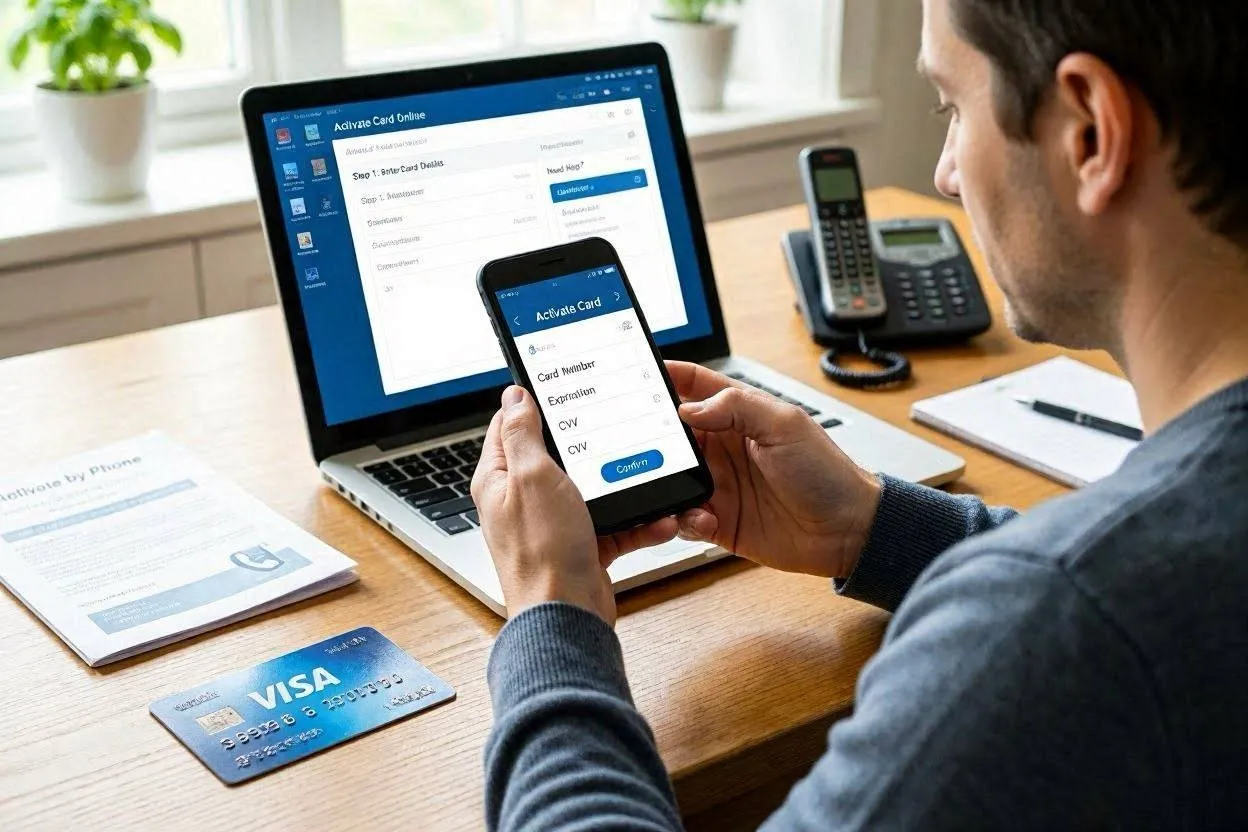
To activate a Visa gift card, visit the website printed on the card or sticker, enter the 16-digit card number, expiry date, and CVV (card verification value), then confirm. The card is ready to use in minutes — sometimes instantly, sometimes within 24 hours depending on the issuer.
Physical Visa gift cards bought in-store are often already active at the register. Cards ordered online or received as gifts typically require manual activation. This guide covers every activation method, fixing common errors, setting a PIN, and checking your balance after activation.
What You Need Before You Activate a Visa Gift Card
Gather 3 pieces of information from the card before you start:
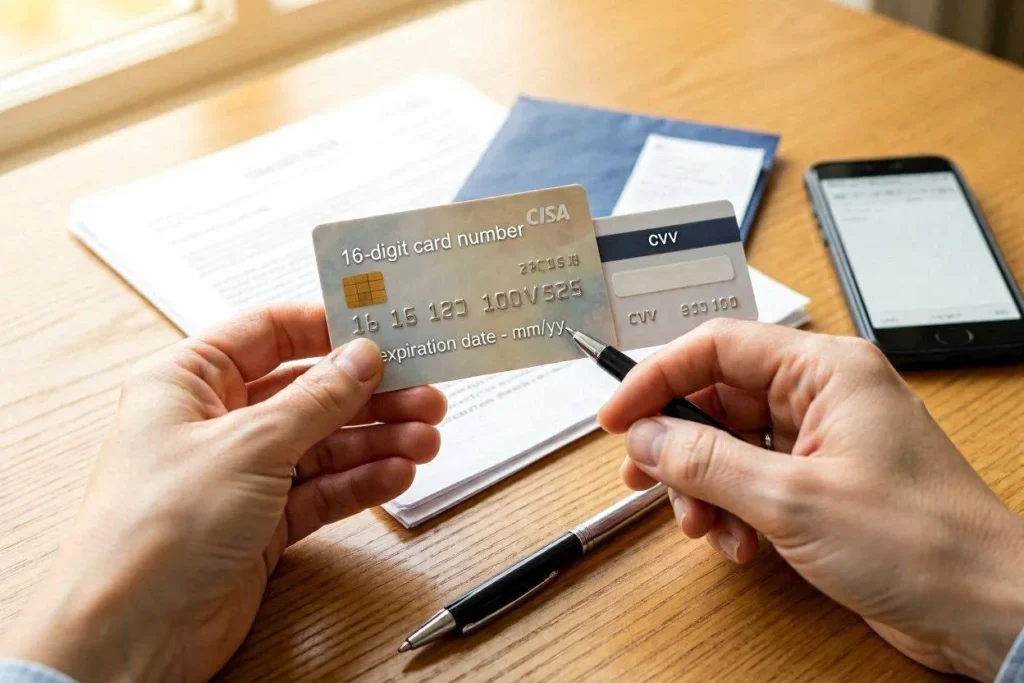
- 16-digit card number — printed or embossed on the front of the card
- Expiration date — printed as MM/YY on the front, below the card number
- CVV (also called CVN or card verification number) — the 3-digit code on the back, to the right of the signature strip
You also need the activation URL or toll-free phone number from the card sticker, packaging, or receipt. For eGift cards received by email or SMS, the activation link comes directly in that message. Keep the original purchase receipt — it proves ownership if you ever need to dispute a balance issue.
5 Ways to Activate a Visa Gift Card
Activation methods vary by card issuer. The table below shows all 5 options at a glance.
Visa Gift Card Activation Methods Compared
| Method | What You Need | Time to Activate | Best For |
|---|---|---|---|
| Online (website) | Card number, CVV, expiry date | Instant – 5 minutes | Most users; easiest option |
| Phone (toll-free) | Card number, CVV, expiry date | 2–5 minutes | Users without internet access |
| Mobile App | Card number, issuer app installed | Instant – 3 minutes | Smartphone users |
| eGift Card (email link) | Email with activation link | Under 1 minute | Digital/virtual card recipients |
| Already active at store | Receipt from cashier | Instant at purchase | Cards bought at retail checkout |
How to Activate a Visa Gift Card Online
To activate a Visa gift card online, follow these 6 steps:
- Find the activation URL. Check the front sticker first. If no sticker, check the back of the card. Common issuer sites include prepaidgiftbalance.com, visaprepaidprocessing.com, and mygiftcardsite.com.
- Open the URL directly. Type the URL into your browser manually — do not use Google search results or third-party links, which may lead to phishing pages.
- Enter the card number. Type all 16 digits exactly as shown, without spaces or dashes.
- Enter the expiry date and CVV. These are required to verify the card is in your possession.
- Create a billing address (if required). Some issuers ask for a name and U.S. mailing address. This address becomes the billing address you use for online purchases.
- Submit and confirm. A confirmation screen or email signals successful activation. The card is ready to use immediately unless the issuer states a 24–48 hour processing window.
How to Activate a Visa Gift Card by Phone
To activate a Visa gift card by phone, call the toll-free number on the back of the card or on the packaging. Follow these 4 steps:
- Call the number. The number is typically formatted as 1-800-XXX-XXXX or 1-833-XXX-XXXX. Kroger Visa gift cards use 1-833-263-4157.
- Choose the activation option. The automated system prompts you to press a number for activation.
- Enter card details using your keypad. Key in the 16-digit number, expiry date, and CVV when prompted.
- Listen for confirmation. The system reads back a confirmation and the current card balance. Hang up — the card is active.
Phone activation suits users without internet access. The same automated system usually lets you check the balance immediately after activating.
How to Activate a Visa eGift Card (Digital Card)
To activate a Visa eGift card, click the activation link in the email or SMS you received — do not ignore this step. Digital cards from issuers like Giftronaut, PerfectGift.com, and Giftcards.com arrive with a ‘Claim My Gift’ or ‘Activate Now’ button in the delivery message.
After clicking the link, your card number, CVV, and expiry date appear on screen. The card is active and ready for online purchases at that point — no additional steps are required. Save these details in a secure place because the digital card has no physical backup.
Cards Already Activated at the Store Register
Visa gift cards purchased at a retail checkout — Walmart, Walgreens, CVS, Target, Kroger — are activated instantly by the cashier at the time of purchase. The cashier loads the dollar amount you select and activates the card in one transaction. No additional activation step is needed. Test the card with a small purchase if you are unsure.
How to Set a PIN on a Visa Gift Card
To set a PIN (personal identification number) on a Visa gift card, call the toll-free number on the back of the card or log into the issuer’s website after activation and select the PIN setup option.
A PIN is required for debit transactions at point-of-sale (POS) terminals where the cashier prompts you to enter a PIN. Without a PIN, select ‘credit’ at the terminal instead — no PIN is needed for credit-type transactions. Most Visa gift cards allow PIN-free credit transactions for in-store and online purchases.
For online shopping, you never need a PIN — only the 16-digit number, expiry date, and CVV are required. Entering a PIN on an online checkout form is unnecessary and may indicate a fraudulent site.
How to Check Your Visa Gift Card Balance After Activation
3 ways to check a Visa gift card balance exist after activation:
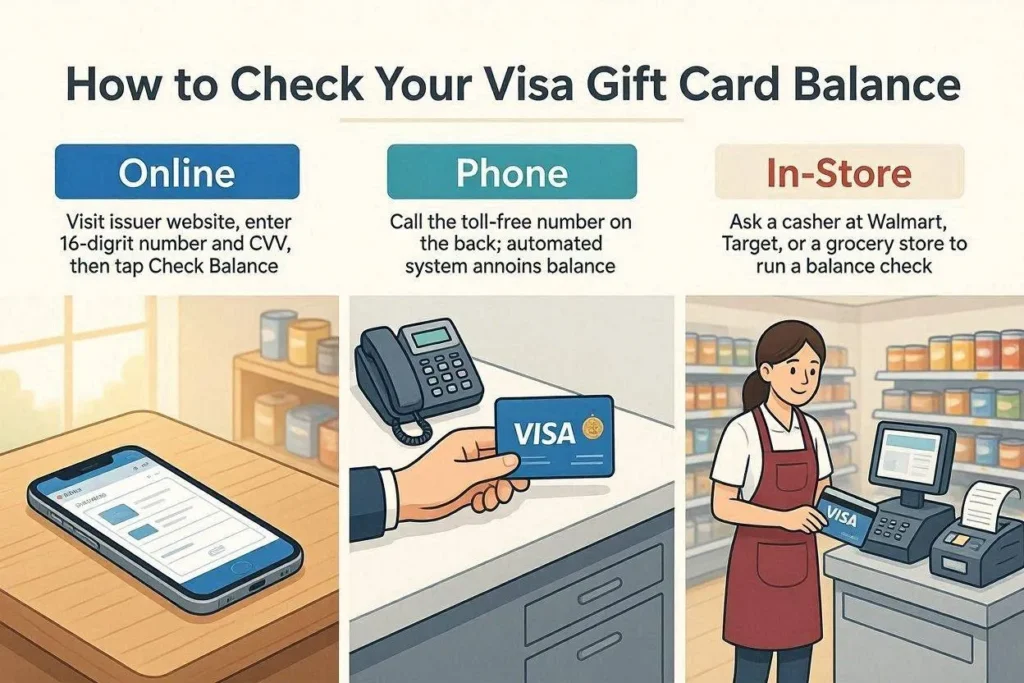
- Online: Go to the issuer’s website (e.g., prepaidgiftbalance.com or visagiftcard.com). Enter the 16-digit number and CVV, then click ‘Check Balance.’
- Phone: Call the toll-free number on the back of the card. The automated system speaks the current balance within 30 seconds.
- In-store: Ask a cashier at Walmart, Target, or a grocery store to run a balance check using the card number.
Always check the balance before making a purchase, especially online. A declined transaction due to insufficient funds triggers a failed payment error that looks identical to an activation failure — and wastes time troubleshooting the wrong problem.
6 Common Visa Gift Card Activation Problems and How to Fix Them
Problem 1 — ‘Card Number Invalid’ Error
Re-enter the 16-digit number slowly, digit by digit, without spaces or dashes. Use a desktop keyboard instead of a phone touchscreen — mobile keyboards introduce typos more often. If the error persists after 2 attempts, call the toll-free number on the back of the card. Voice systems sometimes accept cards that web portals reject.
Problem 2 — Card Shows Zero Balance Immediately After Activation
Wait 24–48 hours after purchasing a card in-store before concluding there is a problem. Some issuers run fraud checks after purchase that temporarily delay balance availability. If the balance still shows $0 after 48 hours, call the issuer with your purchase receipt. The receipt proves the loaded amount and purchase date.
Problem 3 — ‘Card Already Activated’ Message
Check the balance immediately using the issuer’s website or the phone number. If the balance is lower than the amount you loaded, someone else may have activated and used the card — a common gift card scam where packaging is tampered with in-store. Contact the issuer immediately and report the card number as potentially stolen.
Problem 4 — Card Declined at Online Checkout
3 things cause online declines after successful activation: wrong billing address, insufficient balance, or a merchant that does not accept prepaid cards. Check the billing address matches what you entered during activation. Check the balance to confirm enough funds cover the full purchase. If the merchant does not accept prepaid Visa cards, use the card at a different retailer.
Problem 5 — Card Declined at Gas Station Pump
Go inside and pay the cashier directly instead of using the pump. Gas station pumps pre-authorize $75–$100 on any swiped card to estimate the fill-up cost. If that pre-authorization amount exceeds the card balance, the pump declines the card. Paying inside lets you specify the exact amount to charge.
Problem 6 — Card Declined at a Restaurant
Tell the server the exact amount to charge to the gift card before the transaction runs. Restaurants pre-authorize approximately 20% above the bill total to cover a potential tip. If that 20% exceeds the card balance, the card is declined. Specifying the exact charge amount avoids this. Pay the tip separately with cash or another card. The pre-authorization hold releases back to the card within 4 business days if not charged.
How to Use a Visa Gift Card After Activation
Using a Visa Gift Card In-Store
To use an activated Visa gift card at a physical store, follow these 4 steps:
- Tell the cashier you are paying with a gift card before the transaction starts.
- Specify the exact amount to charge if the gift card balance will not cover the full purchase.
- Select ‘credit’ at the terminal if no PIN is set. Select ‘debit’ only if a PIN has been set through the issuer.
- Pay the remaining balance with a second card or cash if the gift card does not cover the full total — this is called a split-tender transaction. Ask the cashier to enable it before swiping.
Using a Visa Gift Card for Online Shopping
To use an activated Visa gift card online, enter the card details at checkout exactly as you would for a regular debit card:
- Card number: 16-digit number from the front of the card
- Expiry date: MM/YY format
- CVV: 3-digit number from the back of the card
- Name: Your name, or leave as-is if the field is optional
- Billing address: The address you entered during activation — this must match exactly or the transaction will be declined
Select ‘Credit Card’ as the payment type — not debit, gift card, or prepaid. Most checkout systems process Visa gift cards successfully under the credit card option.
Visa Gift Card Activation Scams: 3 Warning Signs
Never activate a Visa gift card on a website you found through a Google ad or an unsolicited email. Scammers create fake activation pages that collect card details and drain balances before you complete the process. Look for these 3 red flags:
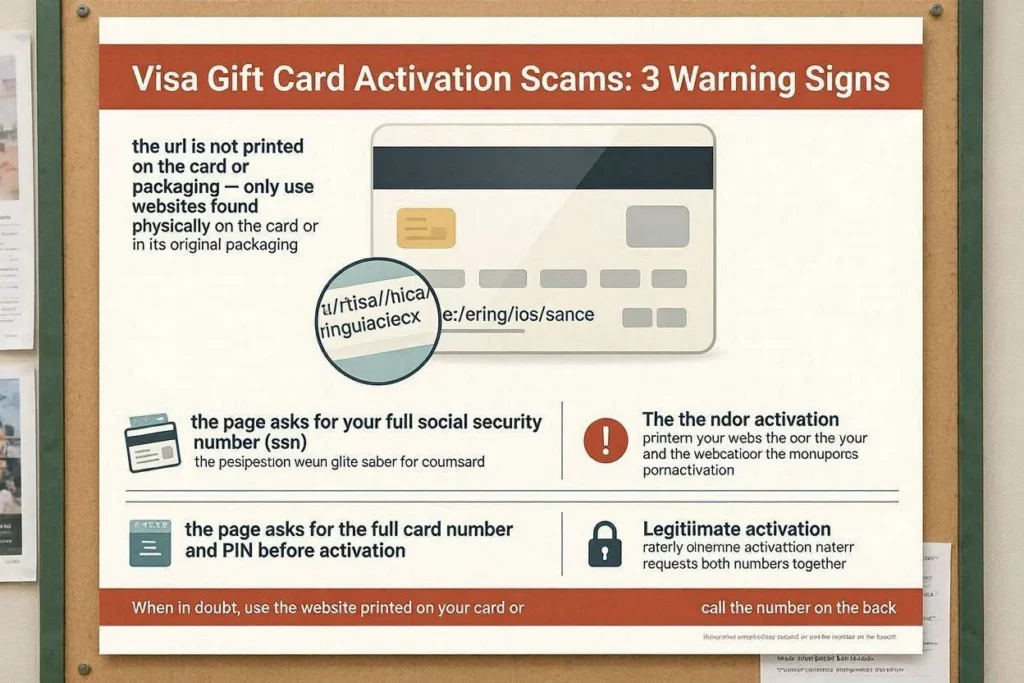
- The URL is not printed on the card or packaging — only use websites found physically on the card or in its original packaging
- The page asks for your full Social Security Number (SSN) — legitimate activation never requires a SSN
- The page requests payment to ‘unlock’ the card — legitimate activation is always free
If you suspect you activated on a fraudulent site, call the issuer immediately using the number on the card’s back and report the situation. Issuers like InComm Payments and Blackhawk Network can freeze compromised cards and issue replacements with the remaining balance transferred.
Activate Your Visa Gift Card in Under 5 Minutes
Activating a Visa gift card takes under 5 minutes when you follow the steps above. Find the URL or phone number on the card, enter the 16-digit number, expiry date, and CVV, then confirm. The card works for in-store and online purchases immediately after confirmation.
Keep the original purchase receipt. Check the balance before each purchase. Use the card as a credit transaction — not debit — unless you have set a PIN. If the card declines at a gas station or restaurant, pay inside or specify the exact charge amount to the cashier. Those 4 habits prevent 95% of all post-activation problems reported by Visa gift card users.
If activation fails after 48 hours, call the toll-free number on the back of the card with your purchase receipt in hand. The issuer can verify the card’s status, confirm the loaded balance, and issue a replacement if the card was compromised.
Frequently Asked Questions

Michael Reynolds
Michael Reynolds leads ImmigrationWin’s immigration, visa, and global mobility content division. He specializes in researching immigration policies, visa requirements, application processes, and international relocation pathways for individuals, families, students, and professionals. With extensive experience analyzing immigration regulations and official government guidance, Michael brings a research-driven approach to complex immigration topics and changing visa policies. He is the primary author of ImmigrationWin’s visa guides, immigration resources, and country-specific content, helping readers better understand their options and make informed decisions about their international journey.
Related Posts